
BOOX V3.1 Firmware Changelog
For More Models
- March 19, 2021
- 2 Comments
- 6min Read
Edit:
- Updated V3.1 changelog for Note Pro (Android 9.0) and Nova Pro (Android 9.0) on 20 May.
- Updated V3.1 changelog for Max2, Max2 Pro, Note Pro (Android 6.0,) Note Plus, Note, Nova Pro (Android 6.0,) Nova Plus, Nova and Poke Pro on 7 May.
- Updated V3.1 changelog for Max3, Note2, Nova2, Poke2, and Poke2 Color on 20 April.
BOOX V3.1 firmware with surprising features is officially released.
Thanks to user feedback and reports, we’ve successfully troubleshot some issues and fixed some bugs to make the firmware more stable.
Here’s the V3.1 changelog for Max Lumi, Note3, Note Air, Nova3, and Poke3. You can install the firmware wirelessly via OTA (Settings > Firmware Update) or download the package here. You can learn more detailed instructions in this post.
The recently released Nova3 Color comes with a built-in V3.1 firmware. But don’t forget manually update it to the latest version in the Settings> Firmware Update or download the newest package.
Here're the key new features of V3.1
We'll keep updating this list.
Select a model to see its changelog
See how your device becomes better.
Max Lumi/Max3
NeoReader
- Add Custom Cover (long press the cover to pop up settings, then select Custom Cover);
- Support original Epub source format, including multiple fonts, image and text layout, vertical layout, Pinyin fonts… etc. ( Currently it requires to manually switch to V2 Engine and does not support sync data with NeoReader. When you open an Epub book, please go to Settings / Other Settings to set it.)
- Add an option of downloading fonts from cloud. The font option offers 3 tabs including Chinese, English and System.
- Add Deep Refresh option, which solves the problem of some images leaving ghostings even after full refresh. (Go to Refresh Settings to set to Deep)
- Add an option of opening a new book in Reader without exiting currenly reading books.
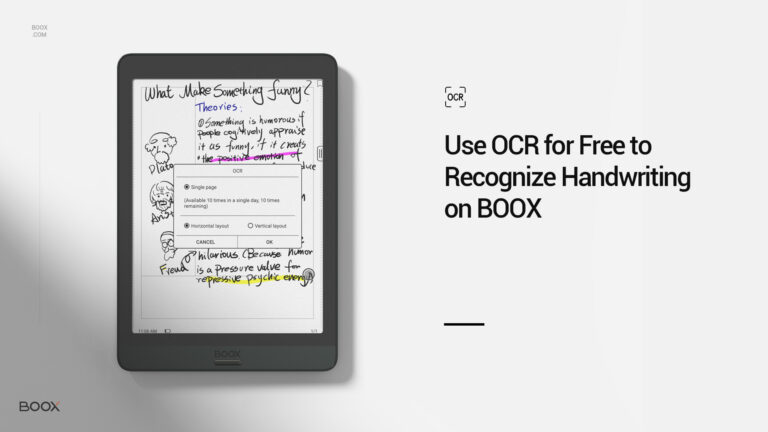
- Add OCR recognition of scanned documents. The text can be searched, marked, and modified after OCR recognition. Currently, only 5 times a day for free OCR recognition.
- Add options of “Link Documents” and “Link Website” to Dictionary Pop-up window. You can link to a certain page, a website, or a document.
- Added Export to E-mail, which supports “export annotation content to a designated E-mail.” E-mail’s attachment is up to 15M.
- Add an option that you can disable “turning pages by swiping on the screen”. It is enabled by default. When it is disabled, you can only turn pages by tapping on the screen.
- Add an option of “The Dictionary Pop-up Window can be dragged around on the screen.”
- Pictures in the documents can be saved to local storage. Support the pictures in the document to be saved locally (long press the picture to zoom in)
- Optimize the Dark Color Enhancement which replaced the Contrast Setting of the old version and Light Color Filter which replaces the removing watermark function.
- Optimize footnote pop-up prompt of documents.
- Optimize TTS playback in the background and support manual page turning during TTS playback;
- Optimize online search page and remove web ads;
- Optimize the PDF selection and zoom process, directly selecting the zoom-in area by dragging the frame
Notes
- Optimize the sync process. Notes can be synced in the background. The pop-up window of the notepad property shows sync progress and status (the synch data structure has been adjusted. All Notes need to be re-synchronized after the upgrade. This is not compatible with Notes sync of lower than firmware V3.0 );
- Add Canvas Editor. 4 Canvas size settings are available (Default size 1×1, 1×2, 2×1, Max size 2×2), Custom, and Canvas Adjustment (Cut the redundant part of the Canvas based on the outermost stroke position of the visible layers.);
- Add template scaling, stitching and stretching functions (the way the template adapts when the canvas is larger than 1×1);
- Add a variety of shapes and line styles, including solid lines, dashed lines, dotted lines, and wavy lines;
- Add Insert Recordings. Each Recording has no time limit. Handwriting and Recording can happen simutaneously. Recordings can be dragged around after selected by Lasso tool (Text conversion is currently not supported);
- Add Horizontal Display. The orientation of the Notes app follows the rotation direction of the system)
- When notes are merged into PDF, Table of Content is supported. (The Notepad is level 1 directory, and the notes pages are level 2 directory);
- Set the specified page as the notepad cover (Set this from Notes thumbnail)
- Add “Share by E-Mail”
- The pencil supports colors. And optimize the rendering speed (V3.0 only supports black);
- Optimize the selection of the Lasso tool after zooming in.
- Optimize the rendering speed of Notes for inserting large pictures and too much content);
System
- Add screen recording function (Each recording can last up to 2 hours);
- Add Storage Categories (10 categories in total)
- System Contrast has been changed to Display Control, which supports Dark Color Enhancement(Default value is 30) and Light Color Filter( Default value 0);
- Add Location information (some apps can only be used when authorized location information . The Location function is off by default);
- Add the option of always turning Bluetooth on when the device boots up. (Settings / Power)
- Add more Gestures- Swipe up and down to adjust either volume, or Frontlight, or contrast.
- Add an option of the System Bar can only be expanded by pulling down. The option is enabled by default and prevents accidental expansion of the System Bar when apps are in full screen.
- Add a list of Frequently Asked questions ( Go to Settings / Feedback, you can directly check all the FAQs);
- Add Update history;
- Add the Full Reresh time setting for scrolling on pages (This supports 1-5 seconds.)
- Add File Sharing Function ( You can share files from Libary, Storage by long pressing the file icon via Bluetooth and third-party apps.
- Add the feature of a long press on a word and lookup dictionary on the Dictionary lookup page.
- Add “sort apps by Name, Time and sort app manually.” (V3.0 only supports manual sorting);
- Add “App update reminder” and “update with one-click”.
- Optimize App Background Freeze. Music and other apps will not be frozen automatically when running in the background.
- Optimize PushRead interface. Add title bar to avoid some URLs not displaying the title in the Text Mode;
- Optimize the ONYX keyboard which supports up, middle, and bottom positions. English keyboard support double-tap to lock uppercase. Add more symbols and clipboard.
- Optimize App Optimization, including switching app original DPI ( Solving the problem of Kobo app cropping blank edge), bold text on webpages, and optimization of third-party Input Methods.
- Optimize the page-turning effect of Scrolling Buttons on the Navigation Ball and reduce the flickering when turning pages.
- Improve system stability.
- Add Left-Handed mode ( Set it up following the Initial Setup Guide. Or go to Settings / More Settings to set it up manually. )
- (Only 13.3 inches supported) Optimize the display of the Second Monitor connected to the mobile phone and the platforn. You need to manually switch the preview resolution in the app;
Note3/Note Air/Nova3/Note2/Nova2
NeoReader
- Add Custom Cover (long press the cover to pop up settings, then select Custom Cover);
- Support original Epub source format, including multiple fonts, image and text layout, vertical layout, Pinyin fonts… etc. ( Currently it requires to manually switch to V2 Engine and does not support sync data with NeoReader. When you open an Epub book, please go to Settings / Other Settings to set it.)
- Add an option of downloading fonts from cloud. The font option offers 3 tabs including Chinese, English and System.
- Add Deep Refresh option, which solves the problem of some images leaving ghostings even after full refresh. (Go to Refresh Settings to set to Deep)
- Add an option of opening a new book in Reader without exiting currenly reading books.
- Add OCR recognition of scanned documents. The text can be searched, marked, and modified after OCR recognition. Currently, only 5 times a day for free OCR recognition.
- Add options of “Link Documents” and “Link Website” to Dictionary Pop-up window. You can link to a certain page, a website, or a document.
- Added Export to E-mail, which supports “export annotation content to a designated E-mail.” E-mail’s attachment is up to 15M.
- Add an option that you can disable “turning pages by swiping on the screen”. It is enabled by default. When it is disabled, you can only turn pages by tapping on the screen.
- Add an option of “The Dictionary Pop-up Window can be dragged around on the screen.”
- Pictures in the documents can be saved to local storage. Support the pictures in the document to be saved locally (long press the picture to zoom in)
- Optimize the Dark Color Enhancement which replaced the Contrast Setting of the old version and Light Color Filter which replaces the removing watermark function.
- Optimize footnote pop-up prompt of documents.
- Optimize TTS playback in the background and support manual page turning during TTS playback;
- Optimize online search page and remove web ads;
- Optimize the PDF selection and zoom process, directly selecting the zoom-in area by dragging the frame
Notes
- Optimize the sync process. Notes can be synced in the background. The pop-up window of the notepad property shows sync progress and status (the synch data structure has been adjusted. All Notes need to be re-synchronized after the upgrade. This is not compatible with Notes sync of lower than firmware V3.0 );
- Add Canvas Editor. 4 Canvas size settings are available (Default size 1×1, 1×2, 2×1, Max size 2×2), Custom, and Canvas Adjustment (Cut the redundant part of the Canvas based on the outermost stroke position of the visible layers.);
- Add template scaling, stitching and stretching functions (the way the template adapts when the canvas is larger than 1×1);
- Add a variety of shapes and line styles, including solid lines, dashed lines, dotted lines, and wavy lines;
- Add Insert Recordings. Each Recording has no time limit. Handwriting and Recording can happen simutaneously. Recordings can be dragged around after selected by Lasso tool (Text conversion is currently not supported);
- Add Horizontal Display. The orientation of the Notes app follows the rotation direction of the system)
- When notes are merged into PDF, Table of Content is supported. (The Notepad is level 1 directory, and the notes pages are level 2 directory);
- Set the specified page as the notepad cover (Set this from Notes thumbnail)
- Add “Share by E-Mail”
- The pencil supports colors. And optimize the rendering speed (V3.0 only supports black);
- Optimize the selection of the Lasso tool after zooming in.
- Optimize the rendering speed of Notes for inserting large pictures and too much content);
System
- Add screen recording function (Each recording can last up to 2 hours);
- Add Storage Categories (10 categories in total)
- System Contrast has been changed to Display Control, which supports Dark Color Enhancement(Default value is 30) and Light Color Filter( Default value 0);
- Add Location information (some apps can only be used when authorized location information . The Location function is off by default);
- Add the option of always turning Bluetooth on when the device boots up. (Settings / Power)
- Add more Gestures- Swipe up and down to adjust either volume, or Frontlight, or contrast.
- Add an option of the System Bar can only be expanded by pulling down. The option is enabled by default and prevents accidental expansion of the System Bar when apps are in full screen.
- Add a list of Frequently Asked questions ( Go to Settings / Feedback, you can directly check all the FAQs);
- Add Update history;
- Add the Full Reresh time setting for scrolling on pages (This supports 1-5 seconds.)
- Add File Sharing Function ( You can share files from Libary, Storage by long pressing the file icon via Bluetooth and third-party apps.
- Add the feature of a long press on a word and lookup dictionary on the Dictionary lookup page.
- Add “sort apps by Name, Time and sort app manually.” (V3.0 only supports manual sorting);
- Add “App update reminder” and “update with one-click”.
- Optimize App Background Freeze. Music and other apps will not be frozen automatically when running in the background.
- Optimize PushRead interface. Add title bar to avoid some URLs not displaying the title in the Text Mode;
- Optimize the ONYX keyboard which supports up, middle, and bottom positions. English keyboard support double-tap to lock uppercase. Add more symbols and clipboard.
- Optimize App Optimization, including switching app original DPI ( Solving the problem of Kobo app cropping blank edge), bold text on webpages, and optimization of third-party Input Methods.
- Optimize the page-turning effect of Scrolling Buttons on the Navigation Ball and reduce the flickering when turning pages.
- Improve system stability.
- Add Left-Handed mode ( Set it up following the Initial Setup Guide. Or go to Settings / More Settings to set it up manually. )
Poke3/Poke2
NeoReader
- Add Custom Cover (long press the cover to pop up settings, then select Custom Cover);
- Support original Epub source format, including multiple fonts, image and text layout, vertical layout, Pinyin fonts… etc. ( Currently it requires to manually switch to V2 Engine and does not support sync data with NeoReader. When you open an Epub book, please go to Settings / Other Settings to set it.)
- Add an option of downloading fonts from cloud. The font option offers 3 tabs including Chinese, English and System.
- Add Deep Refresh option, which solves the problem of some images leaving ghostings even after full refresh. (Go to Refresh Settings to set to Deep)
- Add an option of opening a new book in Reader without exiting currenly reading books.
- Add OCR recognition of scanned documents. The text can be searched, marked, and modified after OCR recognition. Currently, only 5 times a day for free OCR recognition.
- Add options of “Link Documents” and “Link Website” to Dictionary Pop-up window. You can link to a certain page, a website, or a document.
- Added Export to E-mail, which supports “export annotation content to a designated E-mail.” E-mail’s attachment is up to 15M.
- Add an option that you can disable “turning pages by swiping on the screen”. It is enabled by default. When it is disabled, you can only turn pages by tapping on the screen.
- Add an option of “The Dictionary Pop-up Window can be dragged around on the screen.”
- Pictures in the documents can be saved to local storage. Support the pictures in the document to be saved locally (long press the picture to zoom in)
- Optimize the Dark Color Enhancement which replaced the Contrast Setting of the old version and Light Color Filter which replaces the removing watermark function.
- Optimize footnote pop-up prompt of documents.
- Optimize TTS playback in the background and support manual page turning during TTS playback;
- Optimize online search page and remove web ads;
- Optimize the PDF selection and zoom process, directly selecting the zoom-in area by dragging the frame
System
- Add screen recording function (Each recording can last up to 2 hours);
- Add Storage Categories (10 categories in total)
- System Contrast has been changed to Display Control, which supports Dark Color Enhancement(Default value is 30) and Light Color Filter( Default value 0);
- Add Location information (some apps can only be used when authorized location information . The Location function is off by default);
- Add the option of always turning Bluetooth on when the device boots up. (Settings / Power)
- Add more Gestures- Swipe up and down to adjust either volume, or Frontlight, or contrast.
- Add an option of the System Bar can only be expanded by pulling down. The option is enabled by default and prevents accidental expansion of the System Bar when apps are in full screen.
- Add a list of Frequently Asked questions ( Go to Settings / Feedback, you can directly check all the FAQs);
- Add Update history;
- Add the Full Reresh time setting for scrolling on pages (This supports 1-5 seconds.)
- Add File Sharing Function ( You can share files from Libary, Storage by long pressing the file icon via Bluetooth and third-party apps.
- Add the feature of a long press on a word and lookup dictionary on the Dictionary lookup page.
- Add “sort apps by Name, Time and sort app manually.” (V3.0 only supports manual sorting);
- Add “App update reminder” and “update with one-click”.
- Optimize App Background Freeze. Music and other apps will not be frozen automatically when running in the background.
- Optimize PushRead interface. Add title bar to avoid some URLs not displaying the title in the Text Mode;
- Optimize the ONYX keyboard which supports up, middle, and bottom positions. English keyboard support double-tap to lock uppercase. Add more symbols and clipboard.
- Optimize App Optimization, including switching app original DPI ( Solving the problem of Kobo app cropping blank edge), bold text on webpages, and optimization of third-party Input Methods.
- Optimize the page-turning effect of Scrolling Buttons on the Navigation Ball and reduce the flickering when turning pages.
- Improve system stability.
Poke2 Color
NeoReader
- Add Custom Cover (long-press the cover to pop up settings, then select Custom Cover);
- Support original Epub CSS, including multiple fonts, image and text layout, vertical layout, Pinyin fonts… etc. ( Currently it requires manually switch to V2 Engine and does not support sync data with NeoReader. When you open an Epub book, please go to Settings / Other Settings to set it.)
- Add an option of downloading fonts from the cloud. The font option offers 3 tabs including Chinese, English and System.
- Add Deep Refresh option, which solves the problem of some images leaving ghostings even after full refresh. (Go to Refresh Settings to set to Deep)
- Add an option of opening a new book in Reader without exiting currently reading books.
- Add OCR recognition of scanned documents. The text can be searched, marked, and modified after OCR recognition. Currently, only 5 times a day for free OCR recognition.
- Add options of “Link Documents” and “Link Website” to the Dictionary Pop-up window. You can link to a certain page, a website, or a document.
- Added Export to E-mail, which supports “export annotation content to a designated E-mail.” E-mail attachment is up to 15M.
- Add an option that you can disable “turning pages by swiping on the screen”. It is enabled by default. When it is disabled, you can only turn pages by tapping on the screen.
- Add an option of “The Dictionary Pop-up Window can be dragged around on the screen.”
- Pictures in the documents can be saved to local storage. Support the pictures in the document to be saved locally (long-press the picture to zoom in)
- Optimize footnote pop-up prompt of documents.
- Optimize TTS playback in the background and support manual page-turning during TTS playback;
- Optimize the PDF selection and zoom process, directly selecting the zoom-in area by dragging the frame.
System
- System Contrast has been changed to Display Control, which supports Color Contrast Enhancement(Default value 50) and Color Saturation( Default value 40);
- Add screen recording function (Each recording can last up to 2 hours);
- Add Storage Categories (10 categories in total)
- Add Location information (some apps can only be used when authorized location information . The Location function is off by default);
- Add the option of always turning Bluetooth on when the device boots up. (Settings / Power)
- Add an option of the System Bar can only be expanded by pulling down. The option is enabled by default and prevents accidental expansion of the System Bar when apps are in full screen.
- Add a list of Frequently Asked Questions ( Go to Settings / Feedback, you can directly check all the FAQs);
- Add Update history;
- Add the Full Refresh time setting for scrolling on pages (This supports 1-5 seconds.)
- Add File Sharing Function ( You can share files from Libary Storage by long-pressing the file icon via Bluetooth and third-party apps.
- Add the feature of a long press on a word and lookup dictionary on the Dictionary lookup page.
- Add “sort apps by Name, Time and sort app manually.” (V3.0 only supports manual sorting);
- Add “App update reminder” and “update with one-click” in the APP Store app.
- Optimize App Background Freeze. Music and other apps will not be frozen automatically when running in the background.
- Optimize PushRead interface. Add title bar to avoid some URLs not displaying the title in the Text Mode;
- Optimize the ONYX keyboard, which supports up, middle, and bottom positions. English keyboard support double-tap to lock uppercase. Add more symbols and clipboard.
- Optimize App Optimization, including switching app original DPI ( Solving the problem of Kobo app cropping blank edge), bold text on webpages, and optimizing third-party Input Methods.
- Optimize the page-turning effect of Scrolling Buttons on the Navigation Ball and reduce the flickering when turning pages.
- Improve system stability.
Max2 Pro/Max2/Note Pro/Note Plus/Note/Nova Pro
NeoReader
- Add Custom Cover (long press the cover to pop up settings, then select Custom Cover);
- Support original Epub source format, including multiple fonts, image and text layout, vertical layout, Pinyin fonts… etc. ( Currently it requires to manually switch to V2 Engine and does not support sync data with NeoReader. When you open an Epub book, please go to Settings / Other Settings to set it.)
- Add an option of downloading fonts from cloud. The font option offers 3 tabs including Chinese, English and System.
- Add Deep Refresh option, which solves the problem of some images leaving ghostings even after full refresh. (Go to Refresh Settings to set to Deep)
- Add an option of opening a new book in Reader without exiting currenly reading books.
- Add OCR recognition of scanned documents. The text can be searched, marked, and modified after OCR recognition. Currently, only 5 times a day for free OCR recognition.
- Add options of “Link Documents” and “Link Website” to Dictionary Pop-up window. You can link to a certain page, a website, or a document.
- Added Export to E-mail, which supports “export annotation content to a designated E-mail.” E-mail’s attachment is up to 15M.
- Add an option that you can disable “turning pages by swiping on the screen”. It is enabled by default. When it is disabled, you can only turn pages by tapping on the screen.
- Add an option of “The Dictionary Pop-up Window can be dragged around on the screen.”
- Pictures in the documents can be saved to local storage. Support the pictures in the document to be saved locally (long press the picture to zoom in)
- Optimize the Dark Color Enhancement which replaced the Contrast Setting of the old version and Light Color Filter which replaces the removing watermark function.
- Optimize footnote pop-up prompt of documents.
- Optimize TTS playback in the background and support manual page turning during TTS playback;
- Optimize online search page and remove web ads;
- Optimize the PDF selection and zoom process, directly selecting the zoom-in area by dragging the frame.
Notes
- Optimize the sync process. Notes can be synced in the background. The pop-up window of the notepad property shows sync progress and status (the synch data structure has been adjusted. All Notes need to be re-synchronized after the upgrade. This is not compatible with Notes sync of lower than firmware V3.0 );
- Add Canvas Editor. 4 Canvas size settings are available (Default size 1×1, 1×2, 2×1, Max size 2×2), Custom, and Canvas Adjustment (Cut the redundant part of the Canvas based on the outermost stroke position of the visible layers.);
- Add template scaling, stitching and stretching functions (the way the template adapts when the canvas is larger than 1×1);
- Add a variety of shapes and line styles, including solid lines, dashed lines, dotted lines, and wavy lines;
- Add Insert Recordings. Each Recording has no time limit. Handwriting and Recording can happen simutaneously. Recordings can be dragged around after selected by Lasso tool (Text conversion is currently not supported);
- Add Horizontal Display. The orientation of the Notes app follows the rotation direction of the system)
- When notes are merged into PDF, Table of Content is supported. (The Notepad is level 1 directory, and the notes pages are level 2 directory);
- Set the specified page as the notepad cover (Set this from Notes thumbnail)
- Add “Share by E-Mail”
- The pencil supports colors. And optimize the rendering speed (V3.0 only supports black);
- Optimize the selection of the Lasso tool after zooming in.
- Optimize the rendering speed of Notes for inserting large pictures and too much content.)
System
- Add Storage Categories (10 categories in total)
- System Contrast has been changed to Display Control, which supports Dark Color Enhancement(Default value is 30) and Light Color Filter( Default value 0);
- Add Location information (some apps can only be used when authorized location information . The Location function is off by default);
- Add the option of always turning Bluetooth on when the device boots up. (Settings / Power)
- Add a list of Frequently Asked questions ( Go to Settings / Feedback, you can directly check all the FAQs);
- Add Update history;
- Add the Full Reresh time setting for scrolling on pages (This supports 1-5 seconds.)
- Add File Sharing Function ( You can share files from Libary, Storage by long pressing the file icon via Bluetooth and third-party apps.
- Add the feature of a long press on a word and lookup dictionary on the Dictionary lookup page.
- Add “sort apps by Name, Time and sort app manually.” (V3.0 only supports manual sorting);
- Add “App update reminder” and “update with one-click”.
- Optimize App Background Freeze. Music and other apps will not be frozen automatically when running in the background.
- Optimize PushRead interface. Add title bar to avoid some URLs not displaying the title in the Text Mode;
- Optimize the ONYX keyboard which supports up, middle, and bottom positions. English keyboard support double-tap to lock uppercase. Add more symbols and clipboard.
- Optimize App Optimization, including switching app original DPI ( Solving the problem of Kobo app cropping blank edge), bold text on webpages, and optimization of third-party Input Methods.
- Optimize the page-turning effect of Scrolling Buttons on the Navigation Ball and reduce the flickering when turning pages.
- Improve system stability.
- Add Left-Handed mode ( Set it up following the Initial Setup Guide. Or go to Settings / More Settings to set it up manually. )
Nova Plus/Nova/Poke Pro
NeoReader
- Add Custom Cover (long press the cover to pop up settings, then select Custom Cover);
- Support original Epub source format, including multiple fonts, image and text layout, vertical layout, Pinyin fonts… etc. ( Currently it requires to manually switch to V2 Engine and does not support sync data with NeoReader. When you open an Epub book, please go to Settings / Other Settings to set it.)
- Add an option of downloading fonts from cloud. The font option offers 3 tabs including Chinese, English and System.
- Add Deep Refresh option, which solves the problem of some images leaving ghostings even after full refresh. (Go to Refresh Settings to set to Deep)
- Add an option of opening a new book in Reader without exiting currenly reading books.
- Add OCR recognition of scanned documents. The text can be searched, marked, and modified after OCR recognition. Currently, only 5 times a day for free OCR recognition.
- Add options of “Link Documents” and “Link Website” to Dictionary Pop-up window. You can link to a certain page, a website, or a document.
- Added Export to E-mail, which supports “export annotation content to a designated E-mail.” E-mail’s attachment is up to 15M.
- Add an option that you can disable “turning pages by swiping on the screen”. It is enabled by default. When it is disabled, you can only turn pages by tapping on the screen.
- Add an option of “The Dictionary Pop-up Window can be dragged around on the screen.”
- Pictures in the documents can be saved to local storage. Support the pictures in the document to be saved locally (long press the picture to zoom in)
- Optimize the Dark Color Enhancement which replaced the Contrast Setting of the old version and Light Color Filter which replaces the removing watermark function.
- Optimize footnote pop-up prompt of documents.
- Optimize TTS playback in the background and support manual page turning during TTS playback;
- Optimize online search page and remove web ads;
- Optimize the PDF selection and zoom process, directly selecting the zoom-in area by dragging the frame.
System
- Add Storage Categories (10 categories in total)
- System Contrast has been changed to Display Control, which supports Dark Color Enhancement(Default value is 30) and Light Color Filter( Default value 0);
- Add Location information (some apps can only be used when authorized location information . The Location function is off by default);
- Add the option of always turning Bluetooth on when the device boots up. (Settings / Power)
- Add a list of Frequently Asked questions ( Go to Settings / Feedback, you can directly check all the FAQs);
- Add Update history;
- Add the Full Reresh time setting for scrolling on pages (This supports 1-5 seconds.)
- Add File Sharing Function ( You can share files from Libary, Storage by long pressing the file icon via Bluetooth and third-party apps.
- Add the feature of a long press on a word and lookup dictionary on the Dictionary lookup page.
- Add “sort apps by Name, Time and sort app manually.” (V3.0 only supports manual sorting);
- Add “App update reminder” and “update with one-click”.
- Optimize App Background Freeze. Music and other apps will not be frozen automatically when running in the background.
- Optimize PushRead interface. Add title bar to avoid some URLs not displaying the title in the Text Mode;
- Optimize the ONYX keyboard which supports up, middle, and bottom positions. English keyboard support double-tap to lock uppercase. Add more symbols and clipboard.
- Optimize App Optimization, including switching app original DPI ( Solving the problem of Kobo app cropping blank edge), bold text on webpages, and optimization of third-party Input Methods.
- Optimize the page-turning effect of Scrolling Buttons on the Navigation Ball and reduce the flickering when turning pages.
- Improve system stability.
- Add Left-Handed mode ( Set it up following the Initial Setup Guide. Or go to Settings / More Settings to set it up manually. )
Note Pro (Android 9.0)/Nova Pro (Android 9.0)
NeoReader
Notes
System
Awesome! Share this post to
If you’re new to BOOX products, you’re welcome to join our Facebook fans group to learn the tips&skills of using BOOX tablets and what the experienced users love about BOOX .
.
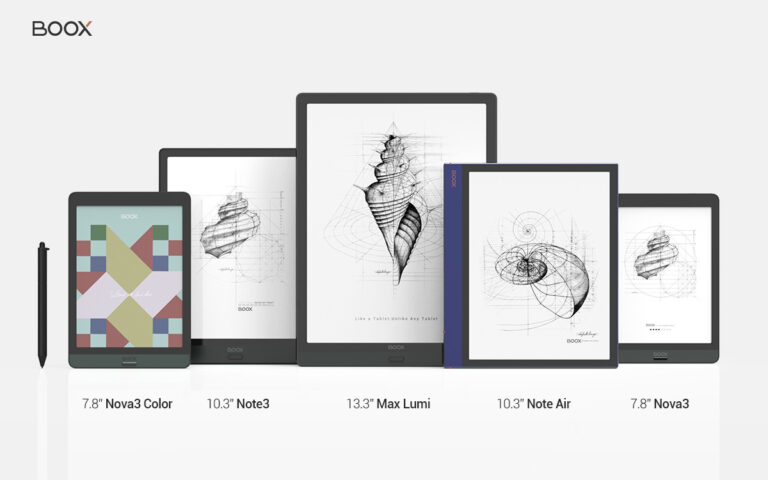
BOOX products are available at our online shops. You can now order Max Lumi, Nova3 Color, Note Air, Note3, Nova3 and Nova3 Color at the BOOX Shop to get a full set of free accessories.
Awe-some! Share This Post to
Recent Posts

GET STARTED
Copyright ©2020 Onyx international Inc. All rights reserved.
2 comments on “BOOX V3.1 Firmware Changelog”
Will you be offering a way to use OCR more than 5x per day? A paid unlimited option? I just got your Note Air and the device’s ability to use OCR on my scanned readings for classes is incredible. As a college student with a learning disability, the OCR feature has been invaluable for enabling TTS to apply to scanned PDFs of obscure/scholarly texts that don’t offer audiobooks. Please let me know!
Hi Zoe,
We’re planning to offer more OCR times per day but haven’t decided the way to do so. Please stay tuned to our social media where we’ll announce our latest feature update in a timely manner. Thank you so much for your support.
Best regards,
BOOX Team